The espresso dial-in app
One shot. One change. Better espresso.
Espresso too sour or too bitter? Log your shot, say how it tastes, and Mullino tells you exactly what to adjust next. Tuned to your espresso machine and your grinder.
For iPhone · coming to the App Store · free basic version · no account
How it works
Like having a barista next to you at the machine.
-
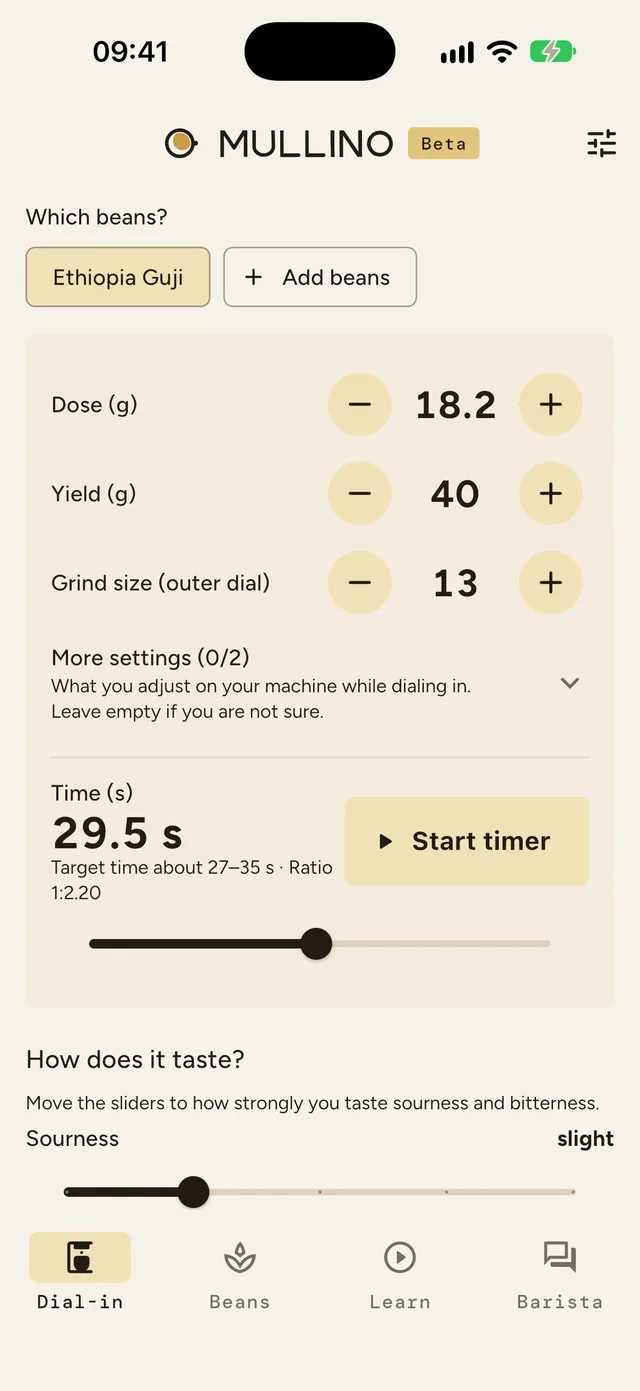
Log the shot
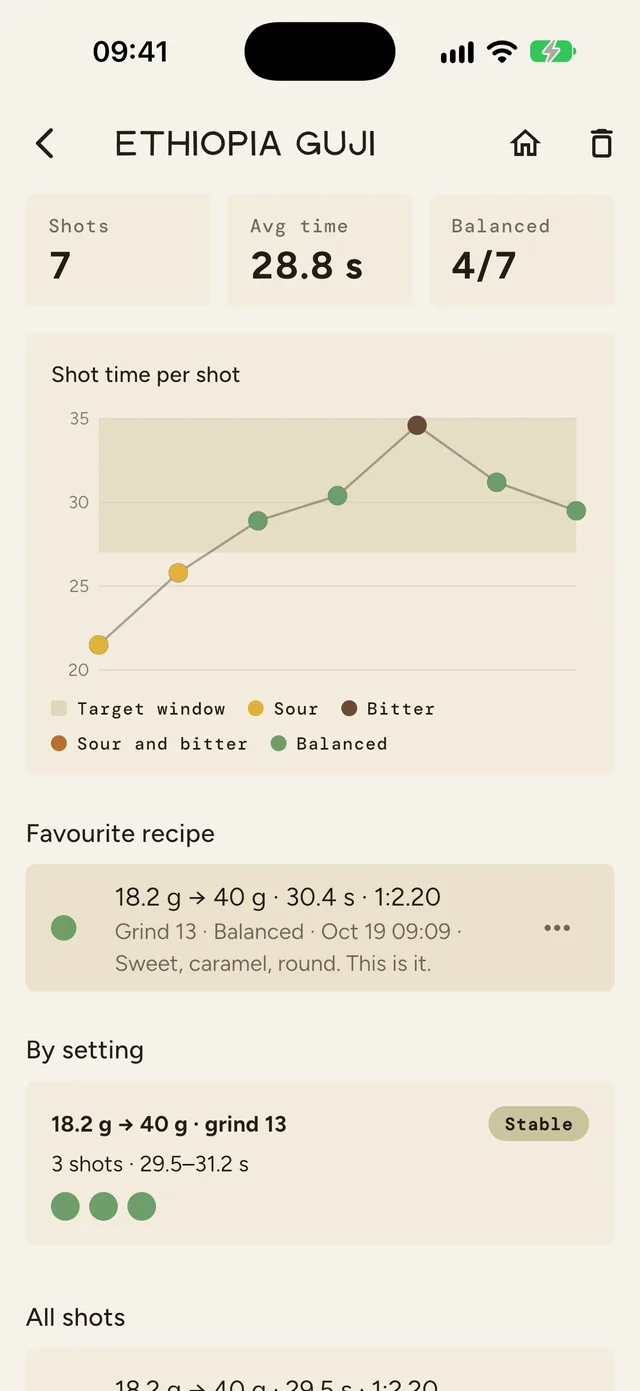
Dose and yield to 0.1 g, grind setting and time. The timer runs right in the app.
-
Rate the taste
How sour, how bitter? Two sliders from “none” to “very strong”.
-
Change one thing
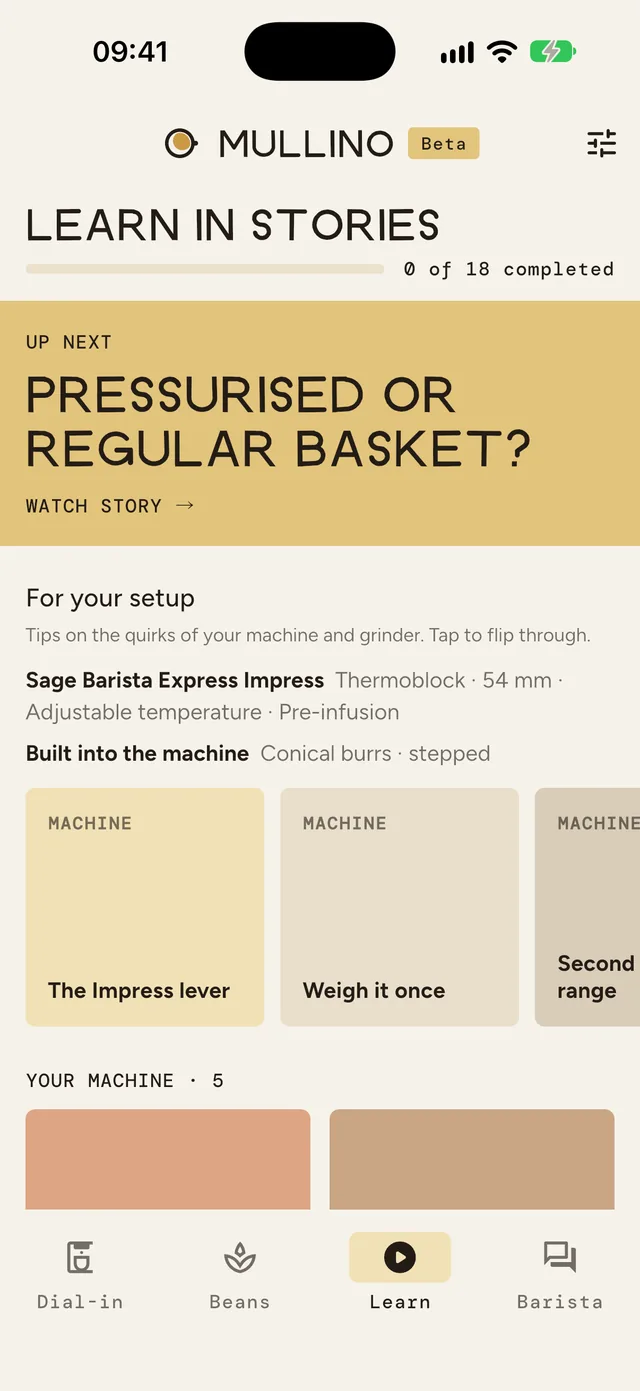
You get exactly one suggestion, so you can see what works.
A Saturday morning with Mullino
New beans, seven shots, one favourite recipe.
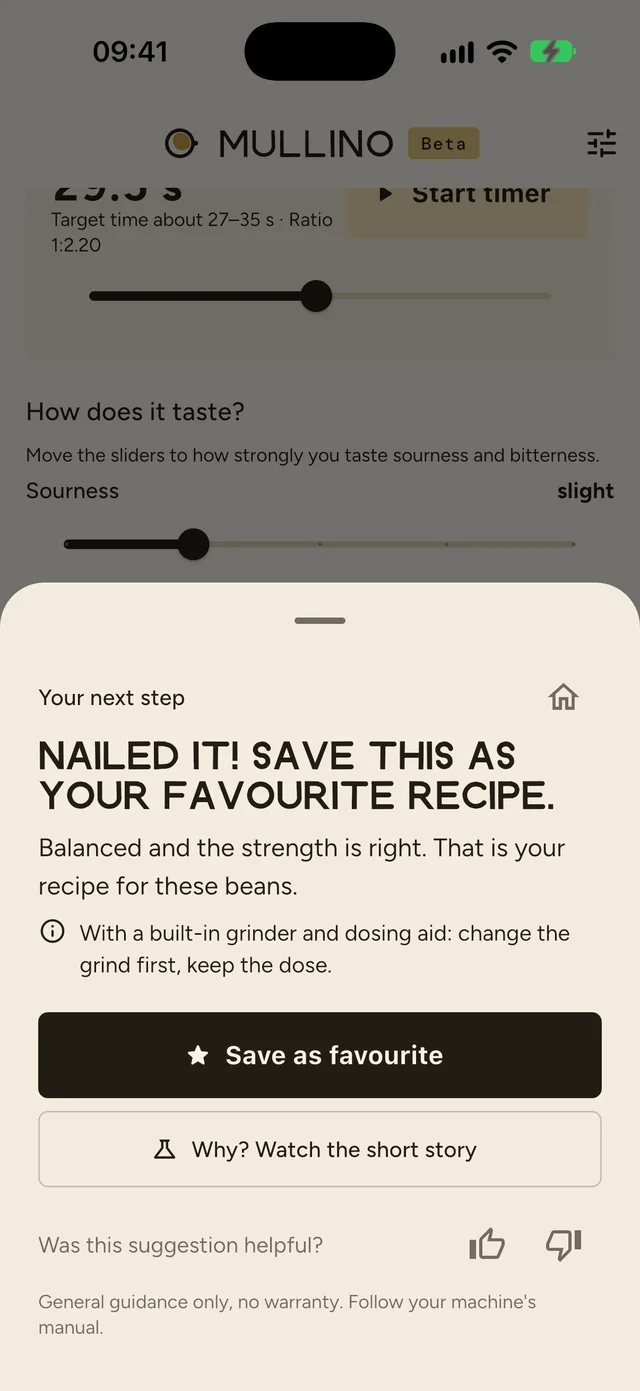
Ethiopia Guji from the small roaster around the corner, light roast, on a Breville/Sage Barista Express Impress. This is what it looks like in the app.
Features
Everything you need at the machine.
- One clear suggestionGrind, yield or puck prep: Mullino changes only one thing at a time, based on roast, time and taste.
- Taste on a scaleSourness and bitterness from “none” to “very strong”. The stronger, the bigger the next step.
- Precise to 0.1 gDose and yield in tenths of a gram. No taring needed: enter the empty weight of portafilter and cup once and Mullino subtracts it.
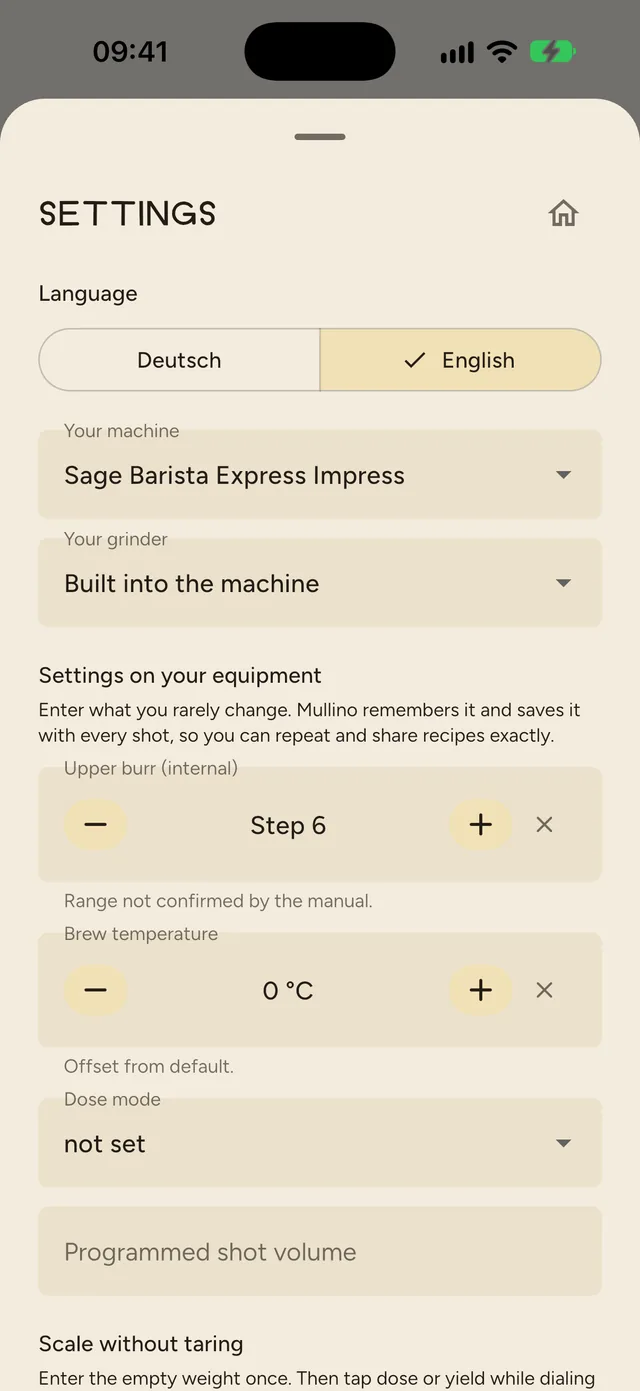
- Your equipment settingsBurr setting, brew temperature, pre-infusion: Mullino knows the settings of over 60 machines and grinders, from the manufacturer's manual wherever possible, and saves them with every shot.
- Dashboard per beanHistory, target window and favourite recipe. Mullino notices when the same settings suddenly behave differently.
- Intro tour and home buttonA short tour shows you around on first launch. From every screen, one tap takes you back home.
Coming up: for roasters
Ship the recipe with the coffee.
Roasters save their recipe with machine, grinder and settings. Their customers scan the code on the bag and start where the roaster left off. After just a few shots the coffee tastes the way it was roasted.
More for roasters →- Roaster dials inDose, yield, time, temperature, grind
- Code on the bagLabel, recipe card or web shop
- Customer starts rightMullino adapts it to their gear
Learn in stories
Barista knowledge in a minute.
18 short stories to tap through, with a small quiz at the end. Perfect while the machine heats up.
Sour or bitter?
StoryBrew ratio
StoryAvoid channeling
StoryWarming up properly
StoryDistributing with WDT
StoryDashboard per bean
Notices when something changes even though you didn't.
Same dose, same grind, but 6 seconds apart? Then it's the beans, the puck or the temperature. Mullino shows you.
18 g → 36 g · step 12
Drift4 shots, 24 to 30 s. Same setting, 6 s apart and a different taste. Beans are ageing or the machine wasn't warm yet.
Shot time
sShaded band: target window for a light roast, 27 to 35 s.
Your machine
Tips that fit your setup.
Thermoblock, single boiler, heat exchanger or dual boiler, hand or electric grinder: Mullino knows the quirks of your gear and shows matching tips right in the suggestion and as learning tiles.
Machines
Grinders
68 devices with their settings, from the manufacturer's manual wherever possible. The app marks uncertain values. Missing yours? Let us know.
FAQ
Questions about Mullino and your espresso.
For more background, read the espresso dial-in guide.
What does Mullino do?
Mullino is a barista coach for iPhone. You log dose, yield, grind and time, and rate how sour and how bitter the espresso tastes. Mullino then tells you exactly one thing to change on the next shot, matched to your machine, your grinder and the roast level.
Why is my espresso sour?
Sour espresso is usually under-extracted: the water dissolved too little from the coffee. If it runs faster than about 25 seconds, grind finer. If the time is fine, let a little more espresso into the cup, for example 40 g instead of 36 g.
Why is my espresso bitter?
Bitter espresso is usually over-extracted. If it runs slower than about 32 seconds, grind coarser. If the time is fine, pull a shorter yield or lower the brew temperature by 1 to 2 °C if your machine allows it. If it tastes sour and bitter at once, water is flowing unevenly through the puck.
Which machines and grinders does Mullino know?
Over 60 popular espresso machines and grinders, from Breville/Sage, De’Longhi, Gaggia and Rancilio to Lelit, Profitec, ECM, Rocket and La Marzocco, plus Niche, DF64, Eureka, Baratza, Comandante and 1Zpresso. If yours is missing, pick the closest one and let us know.
How much does Mullino cost?
Shots, suggestions and learning stories are free in the basic version. You can try Premium with the AI coach and all dashboards free for 5 days.
Do I need an account?
No. Your shots stay on your iPhone, with no account, no tracking and no ads.
Is Mullino available for Android?
Not yet. Mullino launches on iPhone first, Android is planned for later.
How can I try Mullino now?
Email support@mullino.de with the subject “Beta” to join the beta test. You'll get an invitation through Apple's TestFlight app.
5 days
Try Premium for free.
- Shots, suggestions and learning stories stay free in the basic version
- Premium adds the AI coach and every dashboard
Privacy
Your shots belong to you.
- Data stays on your device, no account needed
- No tracking, no ad trackers
- Built in Germany under GDPR